Measure for Measure
Case study
Overview
A BMI calculator that lets you choose height and weight units independently. Built in React and TypeScript with Material UI v6, tested with Vitest and React Testing Library, and audited to WCAG 2.2 AA.
The problem
Most online BMI calculators force you into one unit system. You can enter your height in metres or your weight in pounds, but you cannot mix them. In practice, people think in mixed units. Someone might know their height in feet and inches but weigh themselves in kilograms. Existing tools do not accommodate that.
I wanted a calculator where height and weight units are chosen completely independently, with live conversion so switching units does not lose your value.
Key decisions
Building it made clear why most calculators do not offer this. Supporting multiple units per field takes significantly more UI space and logic than a simple single-unit input. The unit toggle buttons, the joined pill inputs for double units like feet and inches or stone and pounds, and the conversion logic between unit systems all had to be built and tested carefully. That was part of the challenge.
An early version recalculated the BMI on every change, which meant an incorrect or incomplete BMI could appear before the user had finished entering values. A submit button was added to separate input from calculation. The button label cycles through three states: Get your BMI before any submission, Update when values change after submission, and Reset when the result is current.
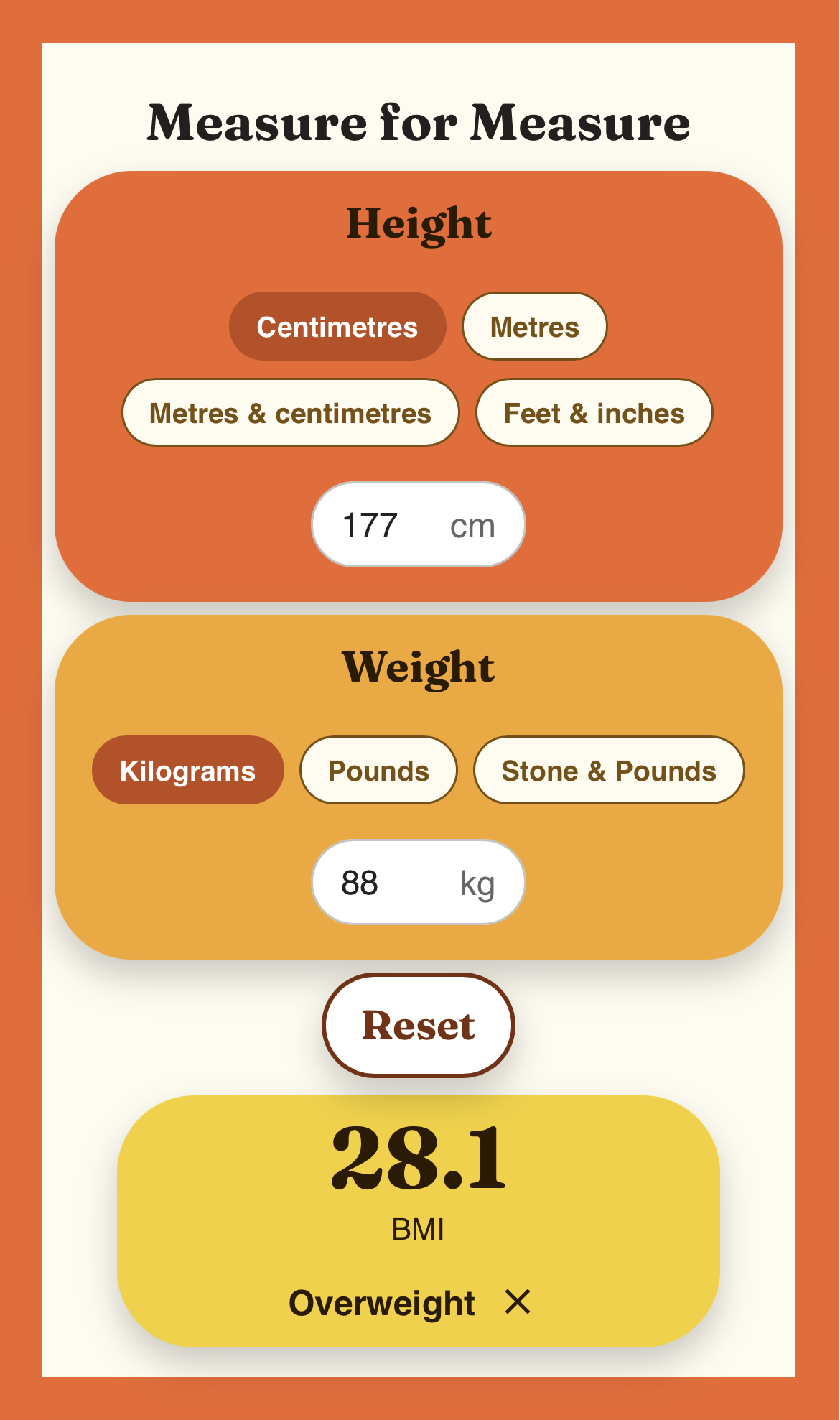
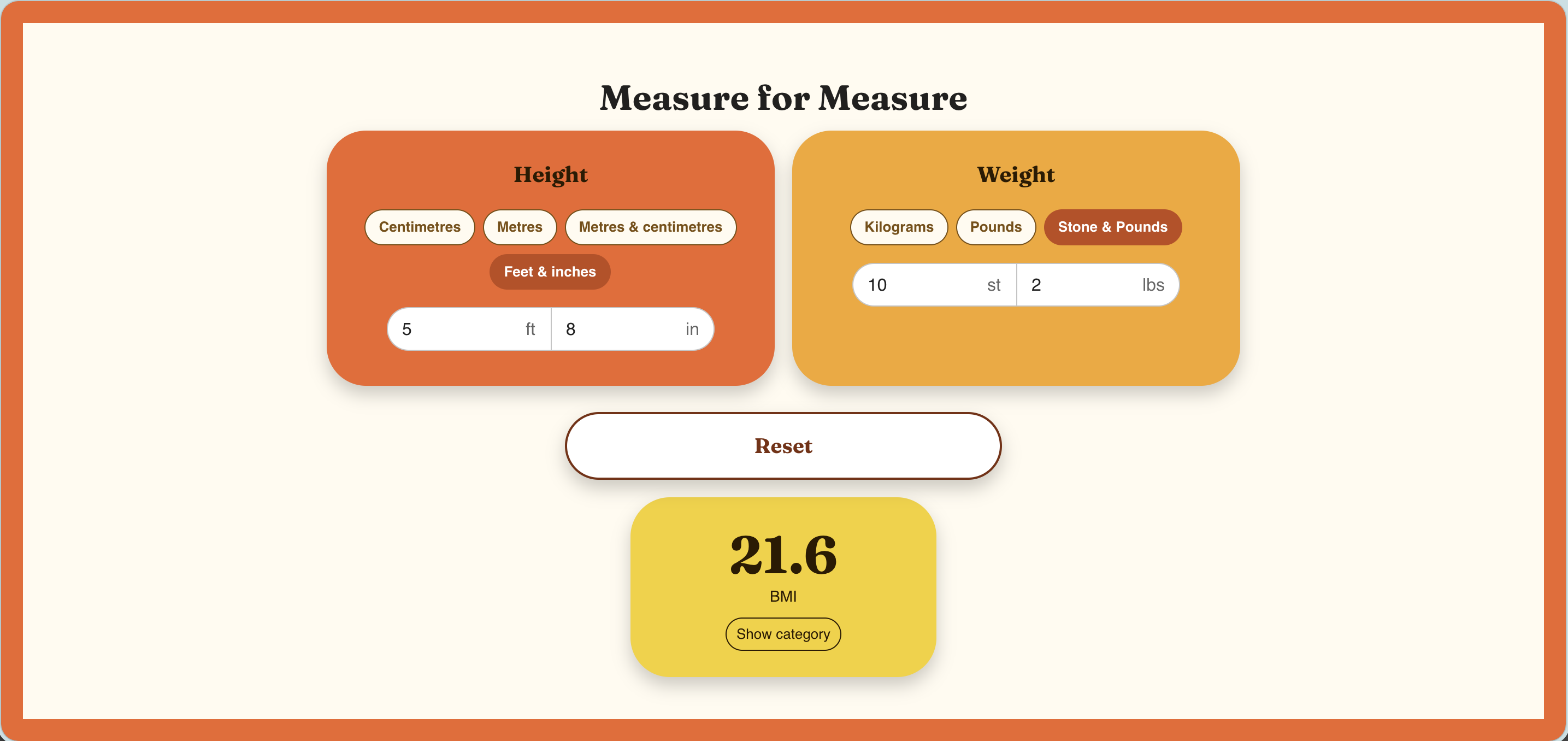
The BMI category is hidden by default behind a Show category button. This was a deliberate UX decision. BMI is a sensitive metric and surfacing a category label immediately felt presumptuous. The show and dismiss pattern puts the user in control.
Double unit inputs such as feet and inches and metres and centimetres are rendered as a joined pill, two fields that appear as one. This required careful styling: the left field loses its right border and border-radius, the right field loses its left border-radius, and both fields share a single visual container.
Technical challenges
Vite v8 was incompatible with Vitest at the time of the build. The project was downgraded to Vite v7 to resolve this.
During a refactor that extracted shared input logic into a UnitInput component and BMI state into a useBMI hook, several tests broke because they were querying elements by label text that no longer matched. The fix was to query by role instead, which is more resilient to component restructuring and closer to how assistive technology navigates the page.
When the category toggle was replaced with the show and dismiss button pattern, tests that queried by role switch broke immediately. Updating them to query by button name and aria-label made the intent of each test clearer as well as fixing the failures.
Accessibility
WCAG 2.2 AA is the baseline across all my projects. Stark was used throughout the build to audit the live app. The current score is 90%, with 0 violations, 138 checks passed, and 14 potentials flagged for manual review.
Testing
109 tests across 8 files, covering utility functions, validation logic, conversion functions, and all components. Tests were written after each component was built rather than retrofitted at the end. Number inputs are queried by role spinbutton, which matches how browsers expose numeric inputs to assistive technology.
Design
The three cards follow a deliberate colour progression: the Height card is burnt orange, the Weight card is amber, and the BMI result card is yellow. The progression moves from warm and grounded at the top to bright and rewarding at the bottom. A thick orange border wraps the entire page on mobile, giving the app a bold, product-like feel.
The layout is mobile-first, designed for 390px. At the md breakpoint the Height and Weight cards sit side by side, keeping the full interface visible without scrolling on desktop.
What was deferred
- A pre-push git hook to run type checks and tests before pushes reach GitHub
- A converter mode allowing unit conversion without a BMI result
- localStorage to persist the last used units between sessions
What next
The next planned iteration adds a sex selector to surface adjusted BMI ranges, which differ between male and female bodies. A kids BMI mode is also scoped, using age and sex to calculate against growth chart percentiles rather than the adult BMI scale.
On the technical side, a pre-push git hook will run type checks and tests before any push reaches GitHub, catching regressions earlier in the workflow.
Try it
measureformeasure.kerryclements.com
Also available at bmi.kerryclements.com and measure4measure.kerryclements.com.