Jewish Journey
Case study
Overview
Jewish Journey is a growing collection of study tools I built while studying for conversion to Judaism through Liberal Judaism (BWPJC). It started as a single blessing lookup and now has five sections: Berakhot (blessings), Tefillot (prayers), Shorashim (Hebrew roots), Mekorot (resources) and Nosef (other prayers, starting with the three Kaddish versions). It is built in React, Vite, and Tailwind CSS v4 as an installable PWA, with two aims: keep the learner in control of how much they see, and make every part of it accessible.
The origin
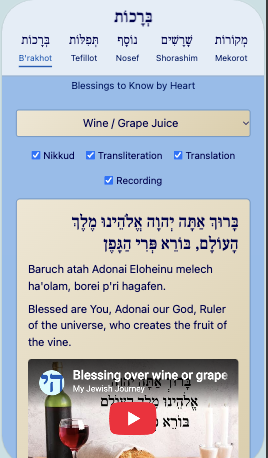
I kept wanting the same thing during study sessions: a quick way to look up a blessing without it giving everything away at once. Nikkud (the vowel marks) can act as a bit of a crutch, so I wanted it hideable rather than removed, on request from my Rabbi, who advised that it ideally be kept available rather than stripped out entirely. The same logic extended naturally to transliteration and translation: show only what you're ready to be tested on.
I built the first version in an evening, in vanilla HTML, CSS, and JavaScript. A dropdown, a fetch call to a JSON file, four toggles. It worked, and I used it.
I'll be upfront about how it was made. I built it to help me, so I threw myself into it and wanted it working quickly. That is why the colours were not quite right at first: a pale cyan background, a dark navy for text, a mid blue for borders, all picked on instinct rather than designed. It read fine, but it was landed on, not considered.
The technical decision
The vanilla version stayed in real use for a while, but I knew it wasn't the version I'd want to put in front of a recruiter. So I rebuilt it in React, Vite, and Tailwind CSS v4, deliberately, for portfolio purposes, keeping every piece of existing behaviour intact: the toggles, the right-to-left Hebrew handling, the YouTube embed.
The rebuild surfaced a real bug in the original. The toggles div had a hidden attribute meant to keep it out of view until a blessing was selected, but my own CSS rule (.toggles { display: flex }) was overriding it, since author styles beat the browser's default hidden behaviour. The toggles had been visible the whole time. React's conditional rendering fixed it without me trying to, just by not putting the element in the DOM until it was needed. A small reminder that the CSS cascade doesn't care what attribute you meant to rely on.
How it grew
Each new section came from something I needed while studying, and each one got its own structure and copy decisions before any code.
Berakhot
The original tool. A dropdown plus four toggles: Hebrew (plain or with nikkud), transliteration, translation, and a pronunciation video. All ten blessings now have a recording of me saying them aloud, embedded via YouTube's privacy-enhanced domain so nothing tracks back to a public channel.
Tefillot
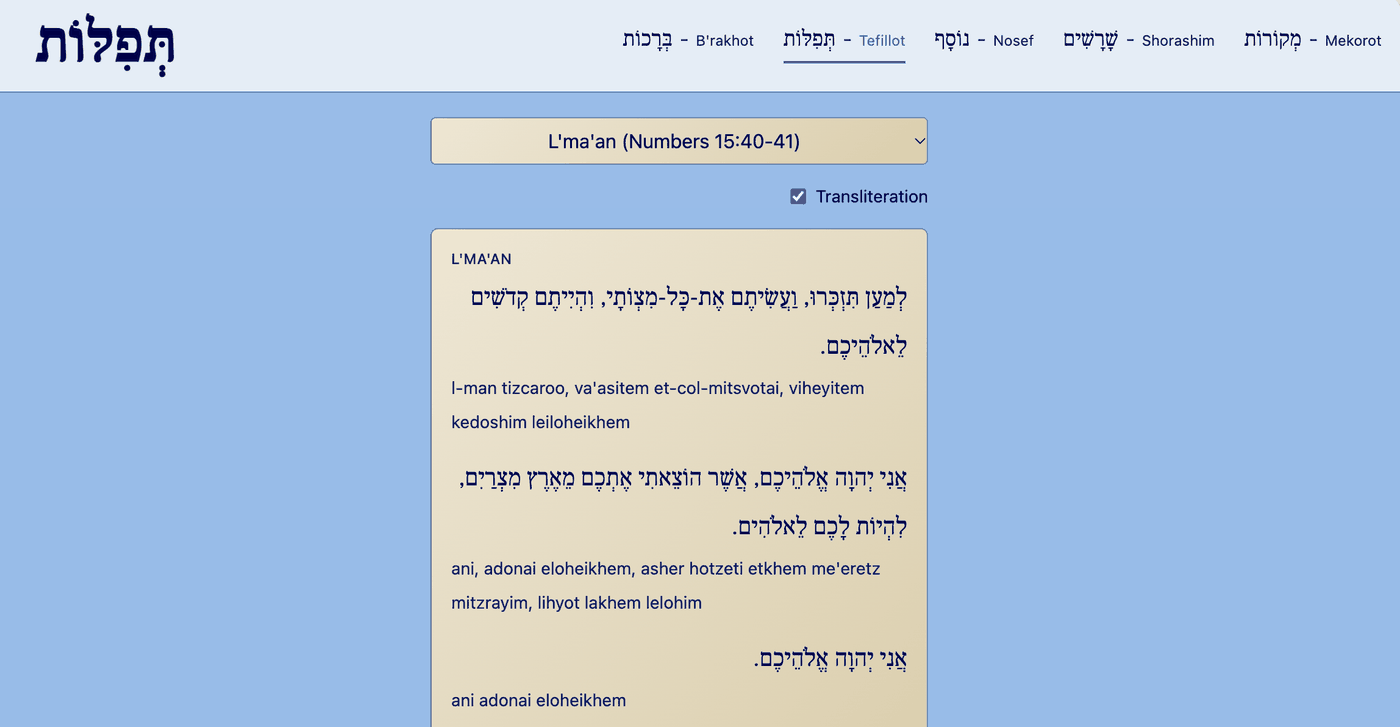
The prayers I'm studying for Beit Din, one at a time: the Shema and V'Ahavta, L'ma'an, the Amidah (in seven sections) and Aleinu. The transliteration toggle switches from the full Hebrew to sentence-by-sentence Hebrew with transliteration beneath. Aleinu shows both the traditional opening and the Liberal Judaism opening, styled as a variant with a note on what was removed, then a shared closing.
Shorashim
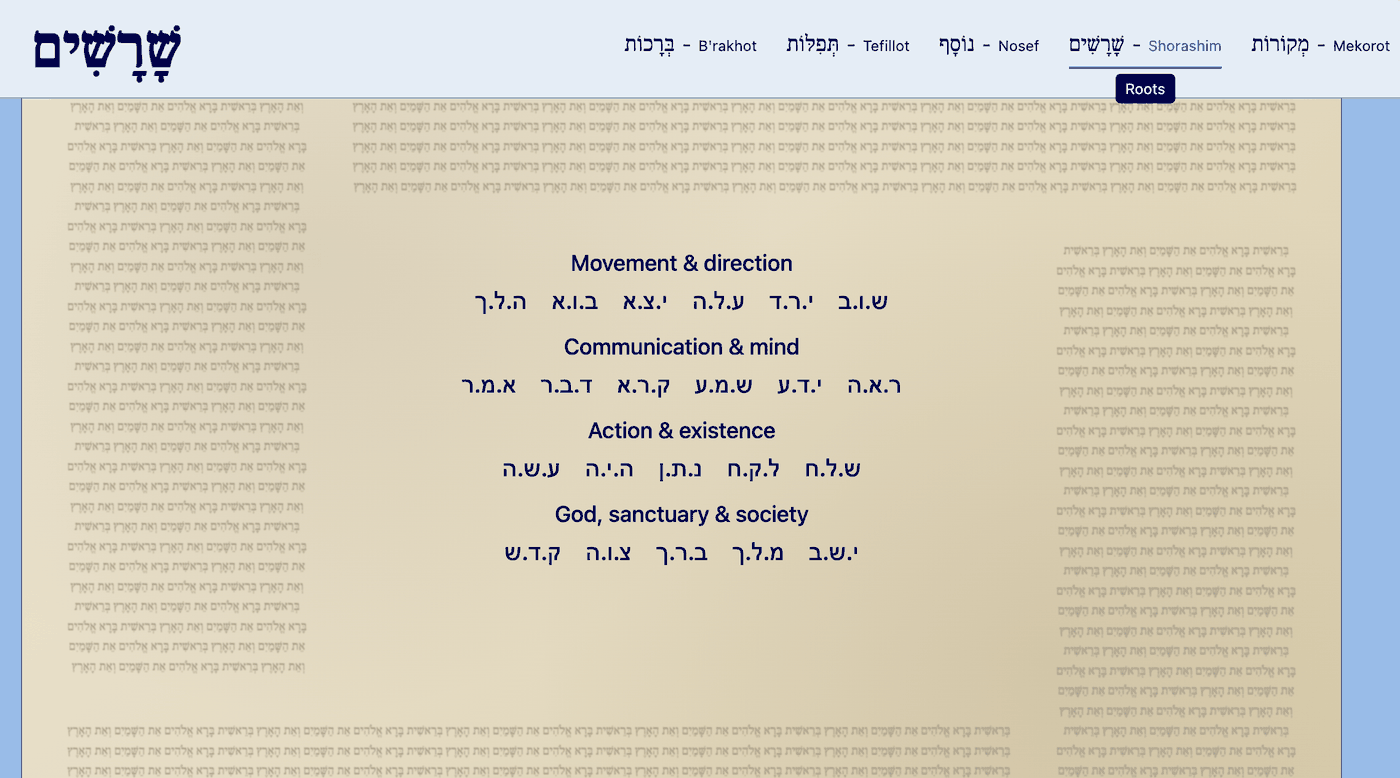
Twenty-two Hebrew roots in four categories. On mobile it is a grid of bubbles, each linking to its own root page. On desktop it becomes what I call Talmud mode, borrowing the shape of a page of Talmud: the categories flow as text around a centre column, and clicking a root opens it in one of four positions around the centre, pinwheeling clockwise and replacing the earliest once all four are full. Each root page uses the same pinwheel shape, static, with the root in the middle and the example, a note on the root, its forms in the siddur and related roots around it. Only one root, halakh, has its full write-up so far; the rest are placeholders while I write them.
Mekorot
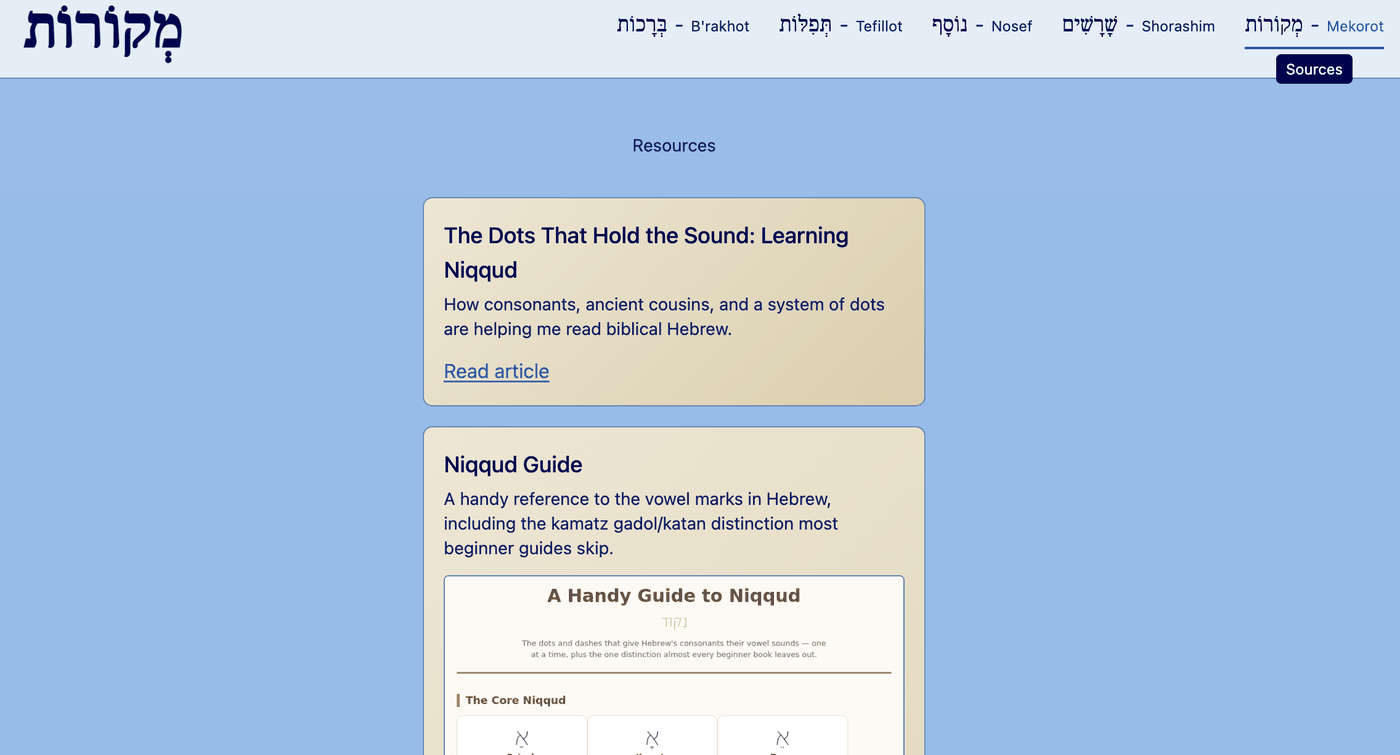
Resources I have made or found useful: an article I wrote on learning niqqud, plus a niqqud guide, sound reference tables and an alef-bet comparison as PDFs, each with a preview image.
Nosef
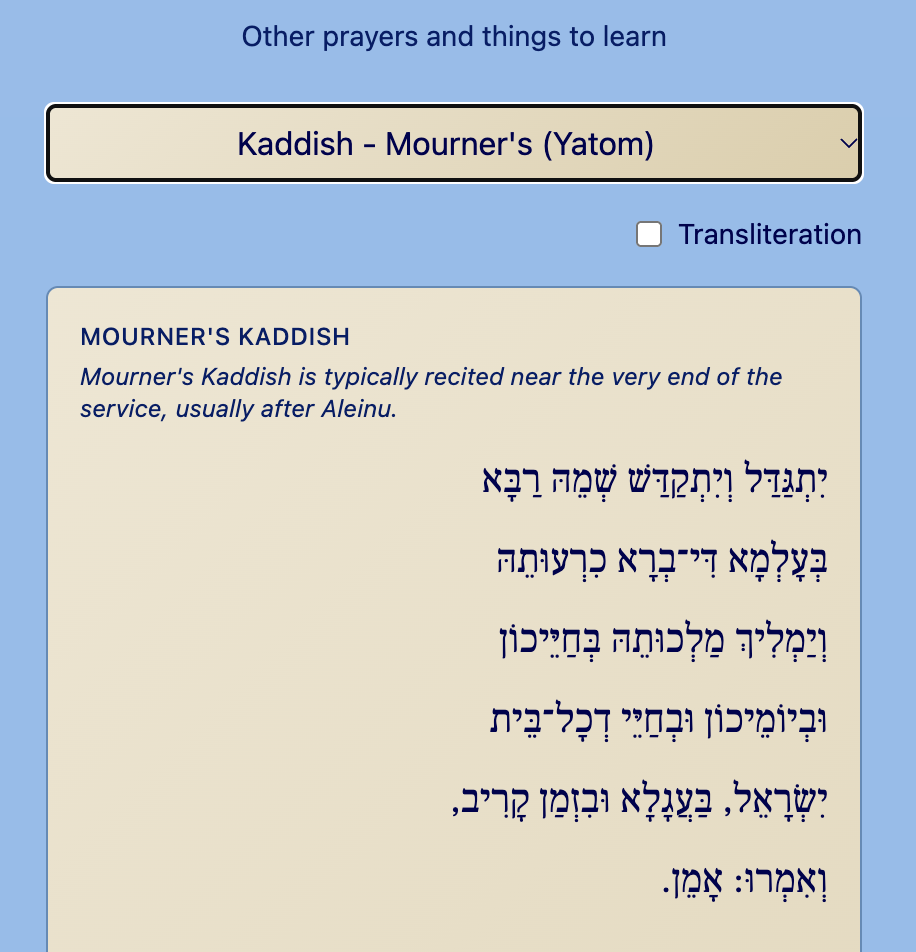
Nosef means "additional" and is called Other in English. It holds prayers outside the main Tefillot set, and currently has all three Kaddish versions, each with Hebrew, line-by-line transliteration, a note on when it is said and links to a recording and a reference.
Designing it properly
Once the tools worked, I went back and treated the design as real work. I built a colour variable collection in Figma called Jewish Journey / Colors, with names that match the CSS tokens in Tailwind's @theme block, so design and code now share one vocabulary instead of a set of colours I happened to pick. Hebrew text uses Frank Ruhl Libre throughout.
Shorashim got its own look: an aged-parchment theme, built in CSS only. A warm gradient, a mottled overlay and a blurred, repeated Genesis 1:1 give it texture. I chose not to use scanned manuscript images, for copyright reasons, and the result is lighter to load as well. Only the filled boxes around the edge get borders, so the centre and the empty placeholders stay quiet.
The navigation is Hebrew-first. Each of the sections has its Hebrew label and transliteration, with the English gloss on hover and focus (and always available to screen readers). On desktop the current page's Hebrew name is large and truly centred.
Content decisions
This is a learning tool for something that matters to me, so the content decisions got as much care as the code.
- I write my own transliterations, with one consistent system:
khfor a soft kaf,cfor a hard kaf,konly for kuf, and apostrophes rather than hyphens. - Liberal Judaism and traditional versions are shown side by side where they differ, clearly labelled, rather than quietly picking one.
- Kaddish Shalem isn't used in Liberal services. It's included for reference, sourced from the Authorised Daily Prayer Book (Orthodox), and labelled as such.
Accessibility and testing
The target is WCAG 2.2 AA with zero violations, and I treat accessibility gaps as bugs, not polish. In practice that means Hebrew marked up with lang="he" and dir="rtl", English glosses available to screen readers, and the Shorashim spiral-in animation only running for people who haven't asked for reduced motion.
Logic that doesn't need React is kept framework-free and unit tested, such as the ring rotation behind Talmud mode, which I named generically so it can be reused. Tests run with Vitest and React Testing Library, and CI runs them on every pull request to dev and main, with branch protection on both. I test on real phones through Netlify deploy previews before anything reaches main.
One lesson from dependency updates: a mismatched pair of React packages once gave me a blank page, so paired packages (React with React DOM, Tailwind with Vite) now get merged together.
Where it stands now
What is finished: all ten blessings have recordings, the colour system is shared between Figma and code, and the five sections are live and installable.
What isn't: the main point of Shorashim, linking each root to the prayers it appears in, isn't built yet, and only one of the 22 roots has its full detail written. A few older transliterations still use my first, more casual style and need bringing in line.
What's next
- A translation toggle, independent of transliteration, so Hebrew, transliteration and translation can each be switched on separately
- Cross-referencing Shorashim: tag each prayer by root and fill every root page's "Forms in the siddur", linking back to Tefillot
- Detail content for the remaining 21 roots
- Check all the Hebrew against the BWPJC siddur
- An alef-bet and niqqud flashcard quiz, for testing recall rather than lookup
- A navigation polish pass, and downloadable PDFs